
A Public Transparency Portal For Financials And Projects
CiviPortal provides a clear way for residents to view financial information and understand project progress, alongside your existing city website.
Clear, Accessible, Easy To Maintain
A resident friendly portal for budgets, spending, and projects, with an admin experience your team can manage in minutes.
Finance Director And Budget Team
- • Publish without building one off reports
- • Replace and append uploads to keep data clean
- • Reduce repetitive records requests
- • CSV mapping for easy repeat file uploads
City Manager And Executive Leadership
- • A single public place for financials and project progress
- • Affordable for all cities and counties
- • Better informed citizens
- • Modern portal that builds public credibility
IT And Security Review
- • No custom development or hosting
- • Role based administrative access
- • Security focused data handling approach
Portal Capabilities
Publish financial and project transparency in a format residents can navigate.
Budget And Actuals Views
Present budgets and actuals by department, fund, and category in a consistent public format.
Spending Detail
Publish vendor and transaction detail when and if you choose, with filters for common questions.
Revenue Summaries
Show revenue sources and trends over time in a resident friendly format.
Project Transparency
Share project status, narrative updates, and photos, or link out to existing project pages.
Publishing Controls
Enable only the modules you want public today and expand over time.
Administrative Uploads
Export, upload, publish. Designed for repeatable updates without custom development.
Start With Core Financials. Expand Over Time.
Not every organization is ready to publish everything on day one. CiviPortal lets you enable only the site modules you want. Expand on your own as your transparency program matures.
Core Portal
Budget And Actuals, Department Views
Portal Modules
Budgets, Actuals, Revenues, Spending Detail, Projects
How It Works
A workflow designed for government finance teams. Export. Upload. Publish.
Link From Your Existing Website
Add a link from your Finance or Transparency page to CiviPortal. Your primary website stays the same.
Export From Your Finance System
Start with the same files you already produce: budgets, actuals, revenues, and transactions. CSV templates can be mapped to your exports.
Upload, Replace, or Delete A Fiscal Year
Admins can upload new data, replace a specific year cleanly, or delete fiscal years esily, keeping the portal accurate without technical work.
Publish The Modules You Choose
Enable only what you want public today and expand over time.
Update On Your Schedule
Update the portal when your data updates. No custom development, no one off reports, no fragile spreadsheets on the public website.
Publishing Capabilities
Start with one module and add more when you are ready. The goal is clarity for residents and lower maintenance for staff.
- • Budget summaries and drill downs
- • Actuals and comparisons
- • Searchable data with data filtering
- • Revenues by source and trends
- • Department views for context
- • Project status and updates
- • Self-service data exports for citizens
Note: Exact module availability depends on the data you choose to publish.
What this helps you do
Practical outcomes for finance teams, leadership, and the public.
Build Trust With Clear Information
Present budgets, spending, and project progress in a consistent public format that citizens can navigate.
Keep Residents In The Know
Provide a single destination for financial and project updates, linked from your city website.
Reduce Repetitive Requests
Help residents find answers without staff time spent responding to common questions.
Support Better Budget Conversations
Make budget information easier to understand for the public.
Accessible by design
Targeting WCAG 2.1 AA with keyboard navigation and screen reader-friendly structure.
Read accessibility statement →Admin controls that fit finance workflows
Replace-year uploads, module toggles, and guardrails designed for non-technical staff.
See how it works →Security-minded architecture
Designed for role-based access, auditability, and responsible handling of public financial data.
Security & data overview →Implementation without custom development
Export → upload → publish. Keep your portal current without standing up a bespoke website.
Book a Demo →See CiviPortal in Action
A quick tour of the citizen experience and the admin workflow.
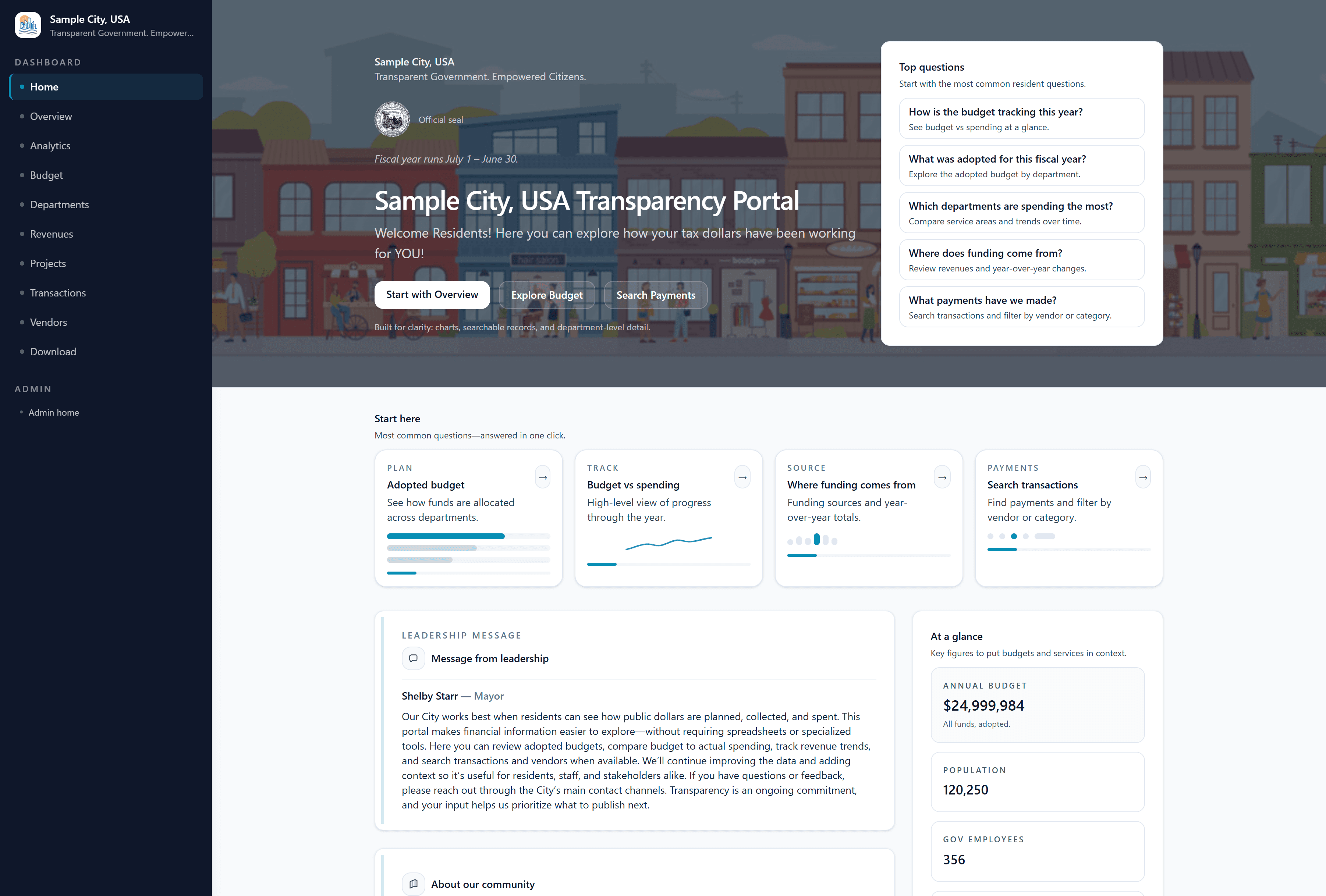
Portal Home
The resident landing page with clear navigation into budgets, spending, departments, revenue, and projects.
Frequently Asked Questions
Common questions from cities evaluating CiviPortal.
See What This Would Look Like For Your Community
We can walk through the resident experience, administrative workflow, and a practical rollout plan based on your publishing cadence.